
Claude Artifacts Are Now Desktop Apps: What It Means and How It Works
Anthropic now lets you install Claude artifacts as standalone Mac and Windows apps. Here is what the feature does, how permissions and sharing work, and what it opens up for businesses.
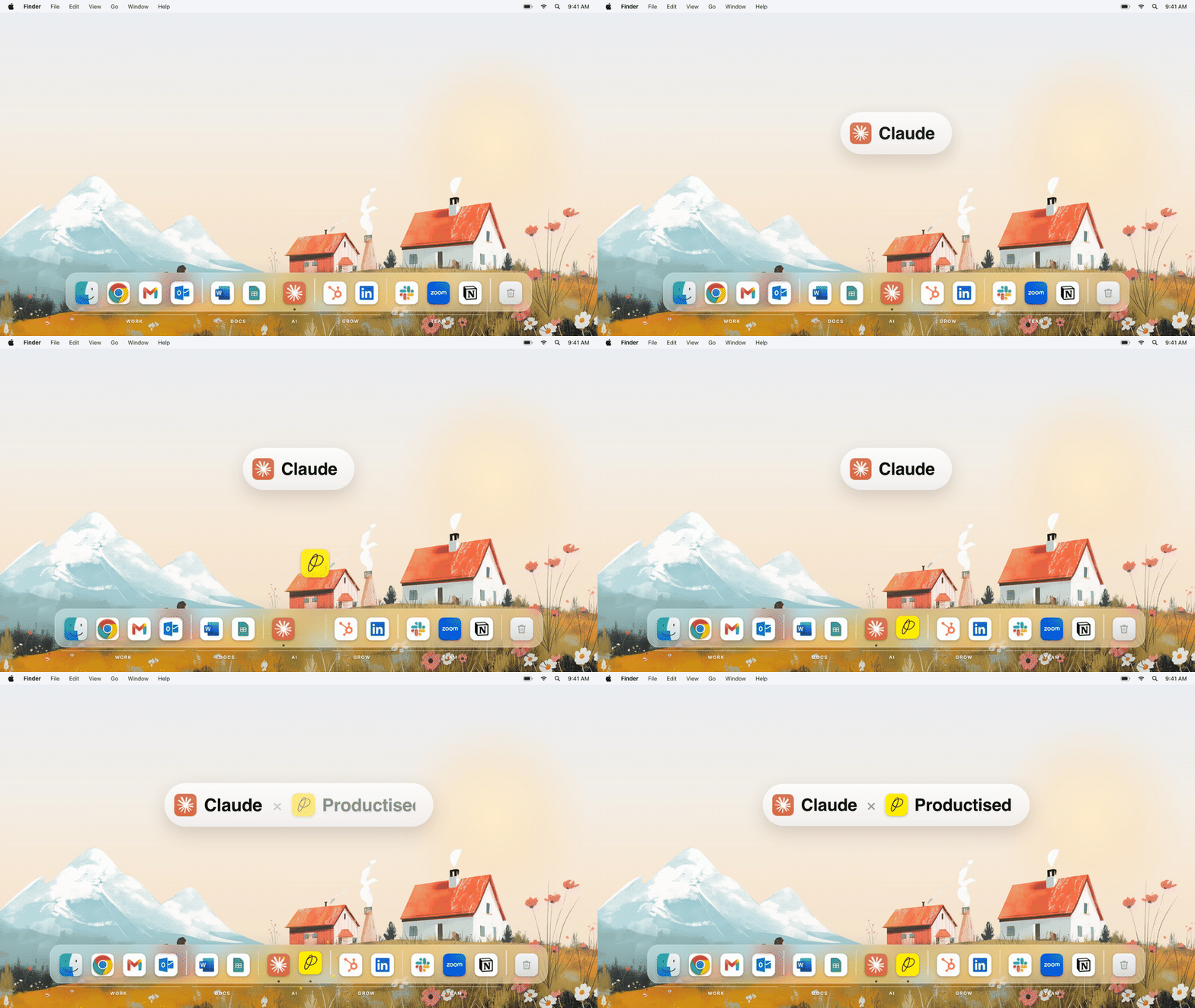
On 24 November 2026, Anthropic released a feature that quietly changes what Claude is. Artifacts, the interactive pages and mini-apps Claude builds for you in a chat, can now be installed as standalone desktop apps on Mac and Windows. Read Anthropic's announcement
Until now, an artifact lived inside a conversation. You asked Claude for a calculator, a tracker or a dashboard, used it in the chat window, and went looking for it again later. Now you can click Install as app and it becomes a real app with its own icon and its own window. It sits in your Dock or Start menu next to everything else you use.
No code, no packaging, no app store. Describe what you want, try it as an artifact, then install it.
Here is what the feature does, what it can and can't do, and why it matters for anyone running a business on Claude.
How to install an artifact as an app
The process takes a few seconds:
- Update the Claude desktop app for Mac or Windows to the latest version.
- Open an artifact in the desktop app, either one you already use or a new one you describe to Claude. If you're looking at an artifact on the web, use the option to open it in Claude Desktop first.
- Choose "Install as app" from the artifact's Share menu (or right-click the artifact), then confirm.
That's it. You get a short install animation, and the app opens in its own window with its own icon. On a Mac, installed apps go into a Claude Apps folder inside Applications, so you can find them in Spotlight and keep them in your Dock. On Windows you can launch them from the Start menu or a desktop shortcut. MacRumors and The Decoder both cover the rollout.
Installed apps run on your Claude account, so there are no API keys to set up and no separate logins. There's also none of the work that used to come with shipping desktop software: no packaging, no code signing, no app store submission.

You don't have to build an app to try this. Anthropic's Felix Rieseberg has published a gallery of demo apps you can install with a click.
Who can use it
The feature is in beta on all Claude plans, including Free, Pro, Max, Ultra, Team and Enterprise. A few details are worth knowing:
- Team plans: switched on by default, but full computer access stays off until an admin enables it.
- Enterprise plans: switched off until an owner turns it on.
- Not available for organisations with HIPAA-ready configurations or hybrid deployments.
- Some artifacts can't be installed, including those made from the Claude Docs, Slides and Sheets templates.
- Desktop only. It works in Claude for Mac and Windows, not on the web, mobile or Linux.
What a desktop app can do that a chat artifact can't
This is where the feature becomes more than a convenience. An installed app starts with the same limits as a web page in a browser, and you can grant it more.
There are three levels.
1. Default (browser-level). Out of the box, an installed app can only do what it could do in a browser tab. That keeps things safe by default.
2. App permissions. An app can ask for extra abilities. You approve or decline each one:
- Send notifications, so it can tell you when something needs your attention
- Listen for global keyboard shortcuts, so it can respond while you're working in other apps
- Stay on top of other windows, like a floating panel or timer
- Add an item to your menu bar (Mac) or system tray (Windows)
3. Full computer access. An app can ask to run programs and read, change or delete files on your computer without asking each time. This is the most powerful level, and Anthropic is clear that it should be granted carefully (more on that below).
Each request is a simple Allow or Don't allow prompt, so you always know what an app is asking for. Anthropic's guide to installing artifacts as apps covers each permission level in more detail.
On top of these, every app can use Claude itself and your connectors. That's the part we think matters most. An installed app isn't a static page. It can reason with Claude and reach the tools you've already connected, such as your calendar, email, CRM or project management. There's nothing new to set up: if a connector already works in your Claude account, the app can use it once you allow it. In early demos, apps asked separately to use Google Calendar and Gmail before reading from them.
Updates and sharing
An installed app is still the same artifact underneath. It updates automatically when that artifact is edited. Go back to the chat, ask Claude to add a feature or fix something, and the app on your computer updates too. Building an app becomes a conversation: describe it, try it, then keep refining it in plain English.
Permissions are tied to a specific version. After every update Claude asks you to approve the app's permissions again, even when the update is your own edit. That can feel repetitive, but it means an app can't quietly gain new abilities after you've trusted it.
You can also share apps with other people. Teams are already using this for internal software. One creator built a 3D model of a new office to plan the furniture layout, then shared it as an app with the colleagues who needed it. There is one important limit. Full computer access can only be given to apps you made yourself or, on Team and Enterprise, to apps made by people in your organisation. On personal plans, everyone else counts as outside your organisation, so an app a friend shares with you generally can't ask for full access. Notebookcheck has a detailed breakdown of how the permission levels work.
Usage and limits
A few practical points:
- Apps use your Claude usage. Building an app, and every request it makes to Claude, counts towards your plan's limits.
- You need to be online and signed in. Installed apps open through the Claude desktop app, so they won't work offline or signed out.
- It's still a beta, so expect things to change.
A note on security
Anthropic doesn't review apps before you install them. Its guidance is simple: only grant full computer access to apps you trust, ideally ones where you trust everyone who helped write them.
Some sensible habits:
- Start with the default permissions and only grant more when an app actually needs them.
- Be especially careful with full access. It lets an app change or delete files, and switching it off later doesn't undo changes that were already made.
- If part of an app loads from another website, that part can change without Claude asking you again.
- You can review or revoke an app's permissions at any time from the app's menu.
What people are building
Anthropic's launch examples show how far this goes beyond simple widgets. Its team built a layered image editor, a stylised file manager, a folder-tidying app that uses Claude to keep files organised, a terminal with Claude built in to explain commands, and a menu bar app for checking computer performance.
The more everyday business examples are arguably more interesting:
- A meeting prep page that pulls from your calendar and email before each call
- A daily orders tracker showing what needs to ship today
- Apps that remind you when something needs your attention, instead of you checking five different tabs
Early users have gone further in the first few days:
- A desktop pet that briefs you. A small character lives along the bottom of the screen. It pops up a reminder five minutes before each meeting on Google Calendar and tells you who a new Gmail message is from. It works because the app uses connectors that were already set up in Claude.
- An AI image and video studio. One creator built a Mac app on top of the Higgsfield connector. You type an idea, Claude turns it into a detailed prompt, and the app generates the image or video. It saves the file to a desktop folder and sends a notification when it's ready. A few follow-up prompts added a dark mode, a library of past generations and a compare button that runs three video models side by side.
- A focus mode app. You pick distracting apps such as Slack, WhatsApp or Mail, start a timer, and the app closes them and stops them reopening until the session ends. That needs full computer access, which the app asks for first.
- A folder automation app. It sets rules for what should happen when a file lands in a folder, a do-it-yourself automation tool.
- A menu bar break reminder that grows a small 3D bonsai tree while you take proper breaks from the screen.
Coverage has also mentioned timers, trackers, photo-renaming apps, custom terminals and video editors. The pattern is clear: small, focused apps built for exactly one person's or one team's workflow, which nobody would ever have built as a commercial product.
Why this matters
For years, getting a custom piece of software meant hiring a developer, buying a SaaS subscription that roughly fitted, or living with spreadsheets. This feature removes most of that.
Business owners can build apps around how they actually work, connected to the data and tools they already use, in an afternoon.
AI consultants and creators can build an app once and share it with clients, turning what used to be a one-off chat into something a client opens every day.
Software companies gain a new surface. Because installed apps can use Claude connectors, any platform with a Claude connector can now be part of a desktop app its users build for themselves.
Some developers have pointed out that installable web apps (PWAs) have existed for about a decade. That's true, but it misses what's new. Before, you still had to build the app yourself. Now an AI builds it from a description, you install it with one click and share it just as easily. But the gap between "I wish I had an app for this" and actually having one has never been smaller.
It also continues a trend we've written about before. Claude is moving from a place where you ask questions to a place where business actually runs. Desktop apps put that work right on your screen, without needing a browser tab.
The "death of SaaS"? We see an opportunity
Not everyone is celebrating. Since the launch, plenty of commentators have called this the "death of SaaS". If anyone can describe the software they need and install it in minutes, why keep paying for subscriptions that only roughly fit? It's easy to see why some software companies are nervous.
At Productised, we're excited.
We've always built around Claude rather than against it. Our platform already works inside Claude through our connector, and installed apps can use connectors. So this update doesn't compete with what we do. It extends it. The intelligence and data our users have in Productised can now reach them directly on their own Mac or Windows computer, in apps shaped around how they work.
We see this as an opportunity to take our platform and what we offer beyond the browser and onto our users' own devices. The software that thrives in this new world won't be the software that tries to do everything Claude can. It will be the software that brings something Claude doesn't have on its own, like your products, your leads and your customer data, and makes it available wherever you work.
How Productised users can use it
If you use Productised with Claude, this feature works well with the Productised connector.
Once the connector is set up in Claude, any app you build can use it. That means you can describe an app in plain English and have Claude build something that works with your Productised products and leads. For example:
- A leads dashboard that sits in your Dock and shows new responses across all your AI-powered products, with the hottest leads at the top
- A morning briefing that opens with your day and summarises what came in overnight, which products are performing and who to follow up with
- A product performance panel showing views, completions and conversion for each AI-powered product at a glance
- A follow-up helper that drafts a personalised reply to a new lead using their answers and result, ready to send from your email connector
Morning summary: 6 new leads overnight, 2 hot. The Growth Readiness Scorecard is your best performer this week.
None of this needs code. Describe the app you want to Claude, check it works as an artifact, then click Install as app. If it's your first time, Anthropic's guide walks you through the steps.
Your Productised products keep doing their job on your website, turning visitors into qualified leads with a personalised result. Desktop apps give you a new way to act on those leads, without leaving the tools you work in.
Turn your expertise into a branded AI product
Productised gives your knowledge a shareable link, captures every lead, and delivers personalised value before the first call.
Get Started →