Platform Features
A complete overview of what Productised can do — from the canvas to Brain to the Claude Connector.
Productised takes your assessments, scorecards, diagnostics, and lead magnets live — at your URL, branded for you, capturing and scoring every lead automatically. Build the products by talking to Claude through the Claude Connector, or work directly in the Productised canvas. Here's everything the platform can do.
The Productised Canvas
Drag-and-drop workspace where every product is built.
AI Products
The conversational AI at the heart of every product.
Capabilities
Extend your AI products with knowledge, research, and integrations.
Outcomes
What your audience actually receives at the end.
Prompt Chaining
Chain multiple AI nodes for better context within your products.
The Brain
Your strategic AI assistant for deciding what to build.
Claude Connector
Build, design, edit, and publish products conversationally from inside Claude — 73 tools against your live workspace.
Analytics
Responses, insights, talking points, and exports.
The Canvas
The canvas is your building workspace. Every product you create lives here as a visual graph — drag nodes onto the canvas, connect them with edges, and wire up your logic without writing a line of code. Changes save automatically as you work.
Node types fall into three categories: AI Product (the conversational core), capabilities you attach to it, and Outcomes (the deliverables your audience receives). You can have multiple nodes of each type on a single canvas and chain them together.
AI Product Node
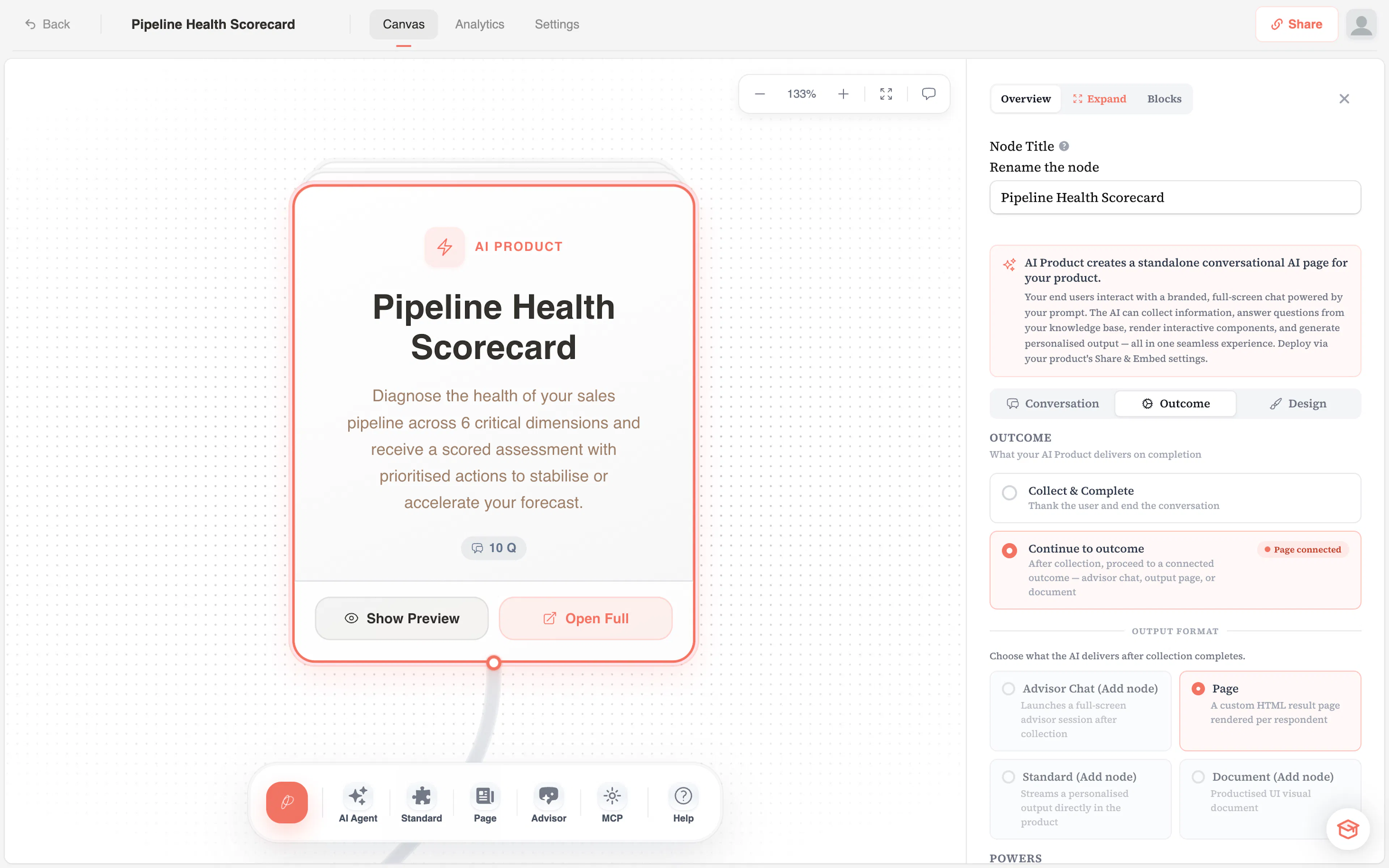
The AI Product node is the conversational engine inside every product. It collects inputs from your audience through a structured flow — text fields, choice questions, scales, yes/no prompts, image selections, and more — then processes those inputs through your configured AI model to produce a personalised result.
Each AI Product has a collection goal (what you're trying to learn), a decision model (how the AI evaluates responses — AI Judgement or AI Scorecard), and optional scoring to segment your audience into persona profiles. This is where you set up your prompts, configure your Brand Voice guardrails, and define what gets passed downstream.
Capabilities
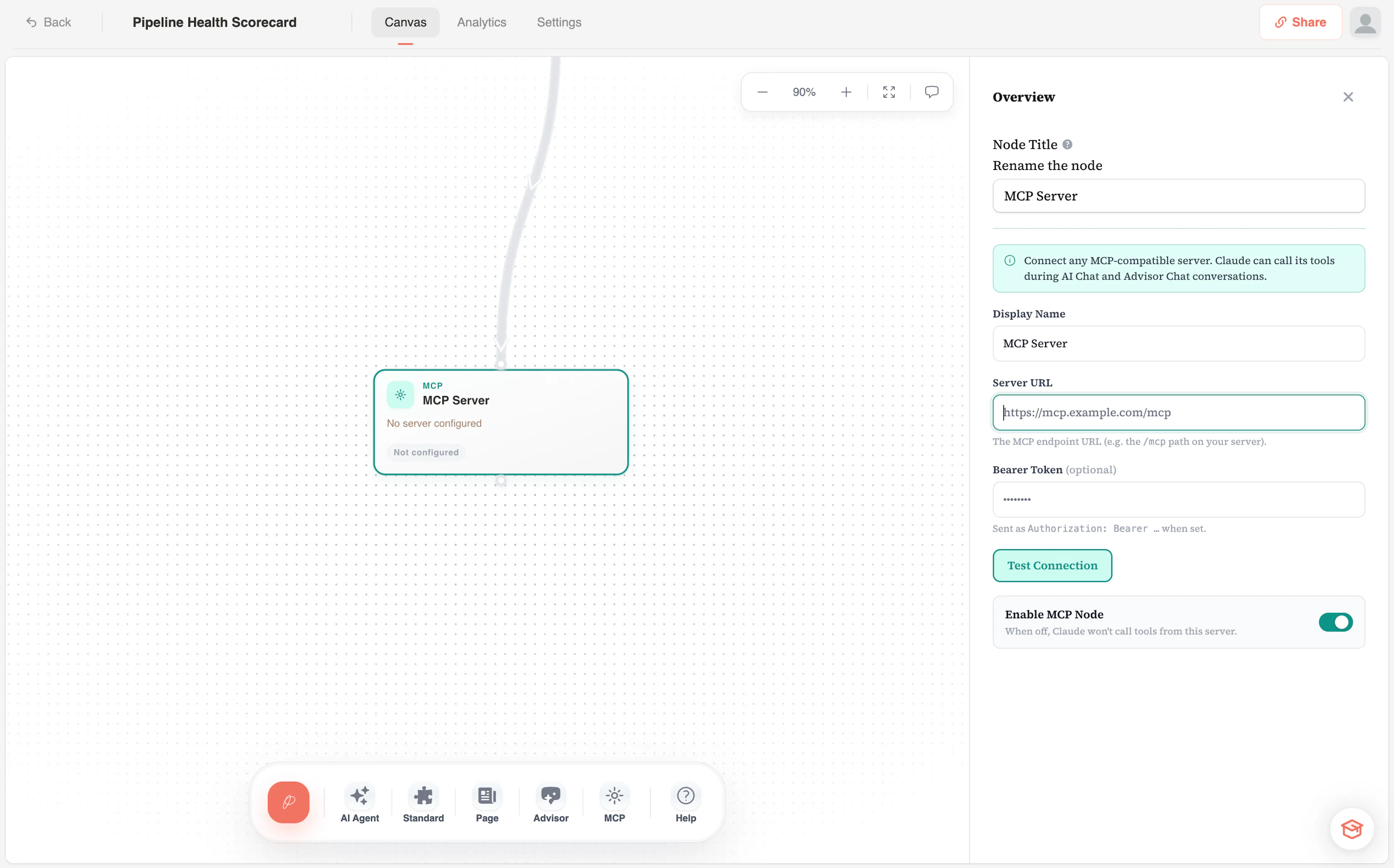
Your AI Product runs the conversation and writes the result on its own. The MCP node is how you extend it beyond that.
MCP connections — connect any service that publishes an MCP server: your CRM, your calendar, a search provider, your own internal API. Claude can call that service's tools while an end user is answering, so it can check a record, confirm live availability or look something up before deciding what to recommend.
Because MCP is an open standard, this isn't a fixed list of integrations — you connect the providers you already use, with your own account and credentials.
Only tools the server declares read-only are enabled when you first connect. Anything that could create, edit or delete data waits until you switch it on, because the AI calls these tools unsupervised while talking to a member of the public.
Webhooks — post each completed response to any URL, so leads and AI output reach your CRM, email platform or automation tool.
End-user uploads — add an Upload or URL question in the Questions panel when your product needs to read something the end user brings, such as a CV or a website.
Outcomes
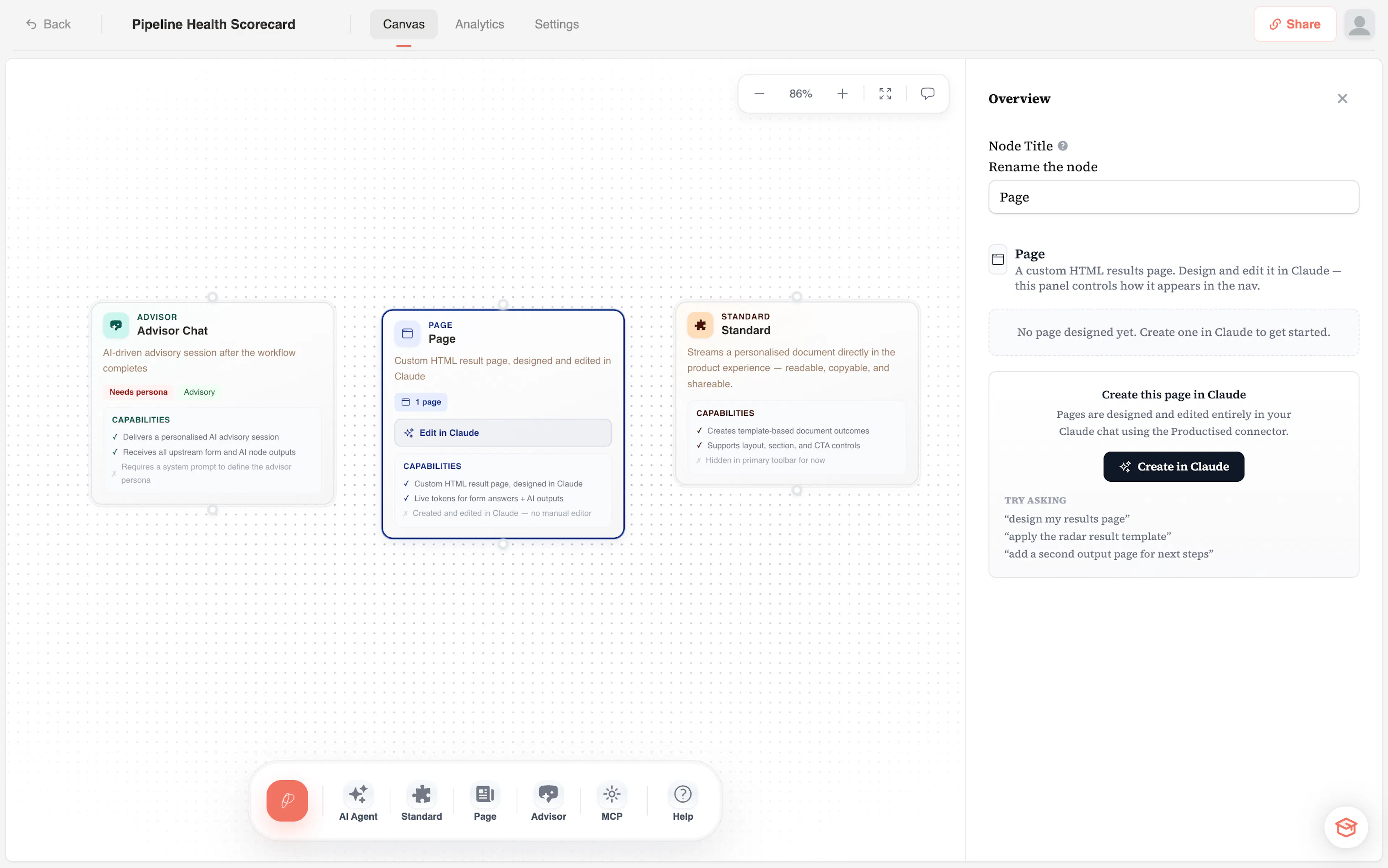
Outcomes are what your audience receives after completing a product. Connect an Outcome node to your AI Product on the canvas to define the deliverable:
- Document — a written deliverable: strategy brief, action plan, proposal. Structured, text-forward, and fully personalised.
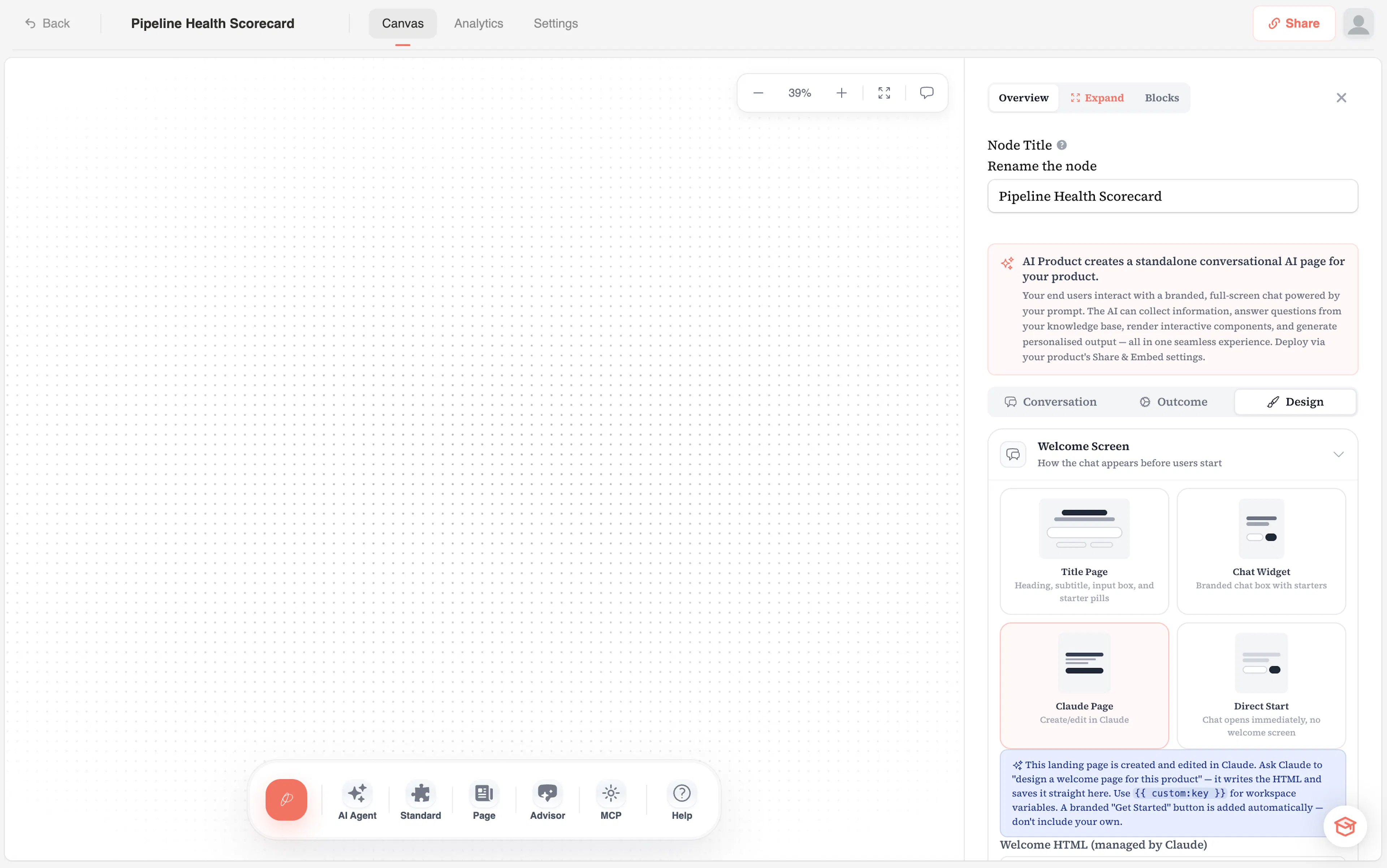
- Pages/Assessments— Pages made Claude create fully custom HTML pages. Simply leverage the productised connector inside of Claude to create custom pages you can port to your productised product. Works for both landing pages AND outcome pages.
- Advisor Chat — a full-screen, personalised advisory session. The AI speaks first using everything it collected — no prompting required — then opens the floor for follow-up questions. The closest a Productised product gets to a real-time advisor conversation.
- Collect only — no AI output at all. The conversation ends warmly and the person becomes a qualified lead. Useful for applications, waitlists and intake. You can also send them onward to a URL when it completes.
Prompt Chaining
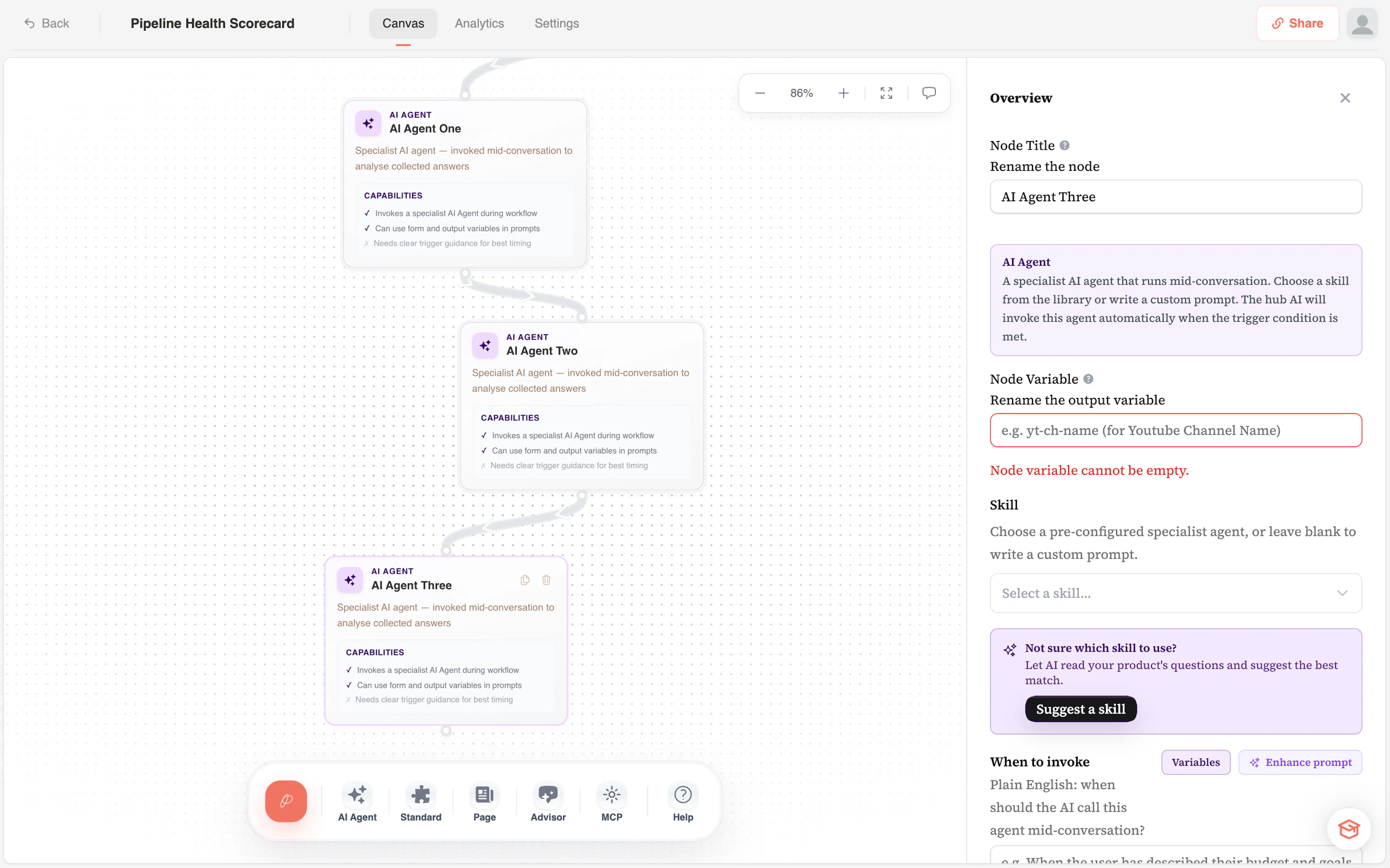
You're not limited to a single AI Agent node. Add multiple AI Agent nodes to the canvas and connect them in sequence — the output of one becomes the input of the next. Reference outputs using {{ node:varName }} syntax anywhere downstream.
This lets you build sophisticated multi-step products: collect information in the first node, run a scoring pass in the second, generate a detailed report in the third. Each step can have its own prompt, model, and configuration.
The Brain
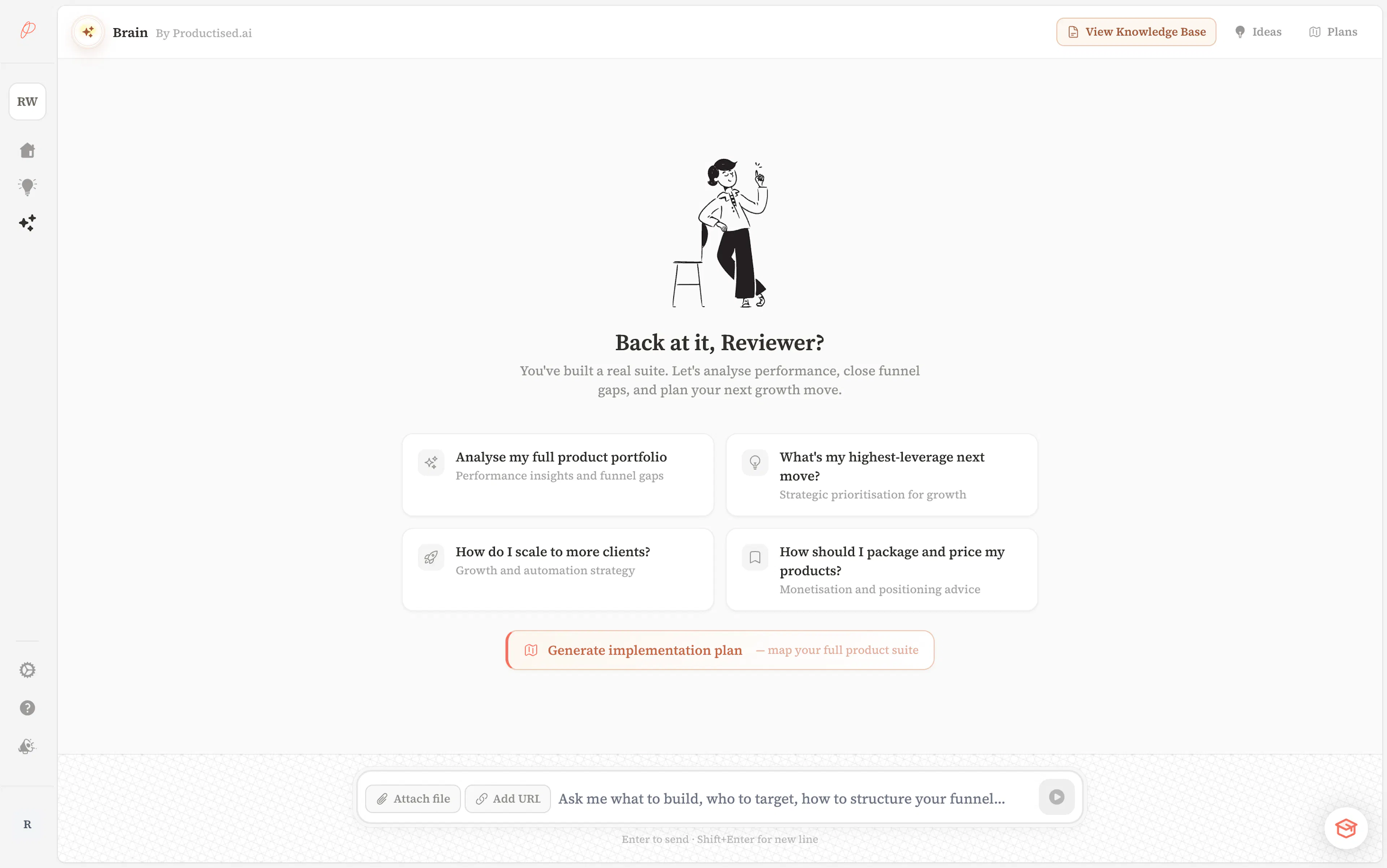
The Brain is your workspace-level strategic AI assistant. Unlike AI Products — which are built for your audience — Brain is built for you. It helps you decide what to build, how to position it, and where it fits in your funnel.
Brain has five sections:
- Chat — have a strategy conversation. Ask it to help you design a product, stress-test an idea, or figure out where your funnel is weakest.
- Memory — Brain automatically saves context from every conversation — your niche, audience, methodology, and preferences. Every session starts from where the last one left off.
- Sources — Brain has its own knowledge base (separate from the Knowledge Power). Upload your methodology documents, frameworks, and positioning material. Brain draws on them in every conversation.
- Ideas — BUILD_THIS cards surface build-ready concepts you've discussed. Open any card directly on the canvas to start building immediately.
- Journey Plan — generate a full-funnel product roadmap across all five stages of your client journey (ToFU, MoFU, BoFU, Delivery, Community). Brain synthesises everything it knows about your practice into a prioritised, niche-specific plan — showing what to build, in what order, and why.
Funnel View
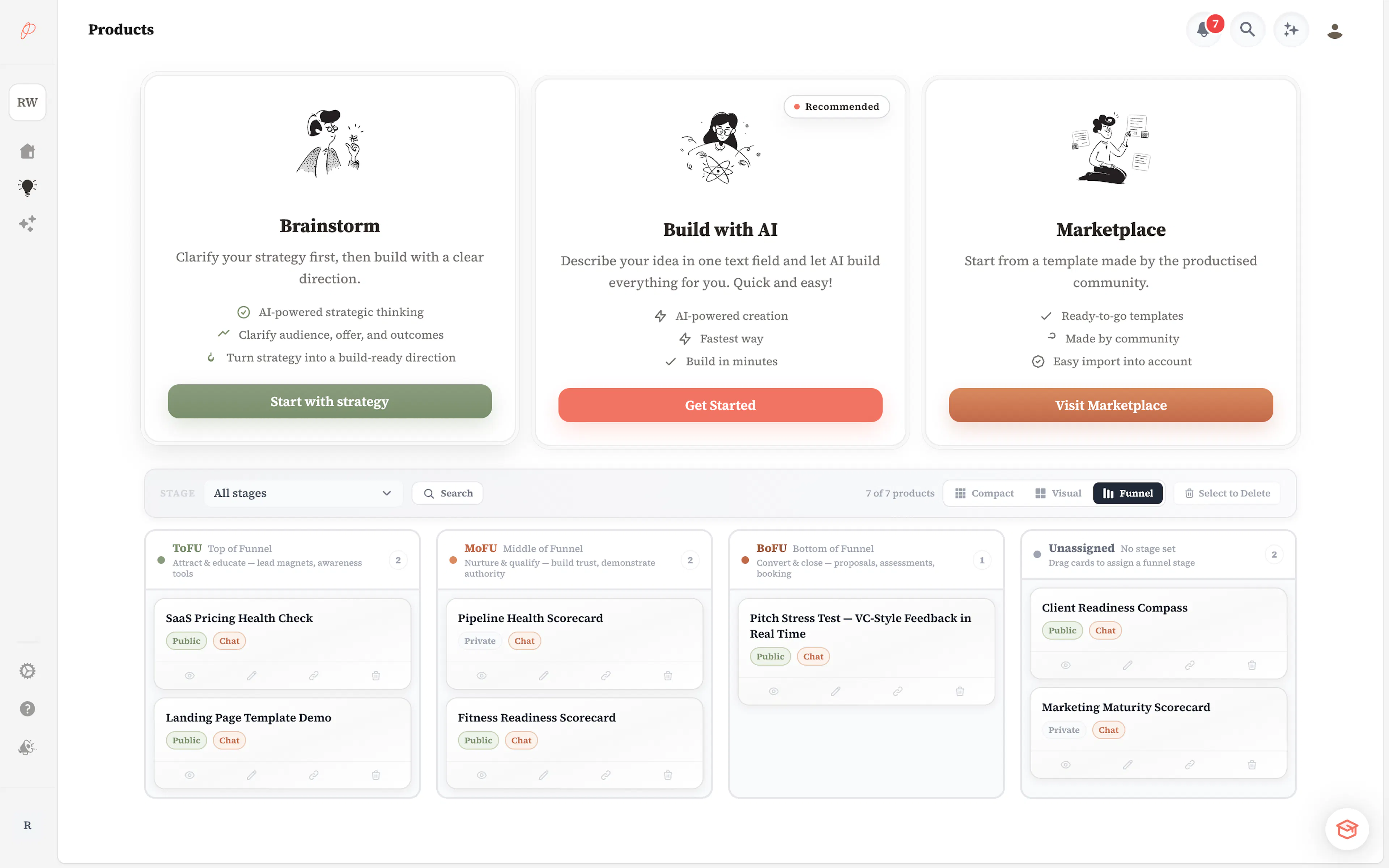
Your products gallery includes a funnel view so you can see your product suite the way your audience moves through it — top of funnel to bottom:
- ToFU — lead magnets and diagnostics that attract and convert cold audiences
- MoFU — deeper strategy sessions and assessments for warmer leads
- BoFU — proposals, ROI calculators, and decision tools for buyers ready to commit
Filter by funnel tier, switch between compact and visual view modes, and use colour labels to organise your product library at a glance.
Product Personalisation
Every product produces a unique output for the person who went through it. Personalisation is driven by three mechanisms:
- AI judgement — the model reads all collected inputs holistically and generates a response tailored to that specific person.
- Scoring — the AI Agent evaluates the answers and produces the score, tier and analysis live. You set the objective and fields; optional per-question points give a deterministic score where you need one.
- Tiers — the agent assigns a named tier (e.g. "Strong fit", "Not yet"), and the result page adapts its content and CTA to that tier — a high-scoring respondent sees a different message and call-to-action than a low-scoring one.
Claude Connector
Productised is an official listing in theClaude directory — search for "Productised" in Claude's connectors and connect in one click (the native MCP server is at https://mcp.productised.ai/mcp for manual setup). Once connected, your entire workspace becomes accessible from inside a Claude conversation — no dashboard required.
With 73 live tools, Claude can:
- Read your products, leads, analytics, and Brain context
- Build new products end-to-end from a single description — including the conversation flow, system prompts, canvas workflow, and a default themed result page
- Design custom result pages conversationally — Claude writes the HTML, the connector validates it against your AI agent's fields, you get a live preview
- Re-host images from any URL onto Productised's CDN — perfect for branding a product with assets scraped from a customer's site
- Apply themes, fonts, logos, SEO metadata, and custom domains in single-message brand passes
- Manage leads conversationally — morning briefings, hot-lead lists, tagging, status changes, talking points
- Ask your Brain strategic questions with full workspace context
Every write operation returns a demo URL — a fully-functional, publicly accessible preview that bypasses authentication, custom domains, and submission gates — so you see every change in one click.
The Connector is purely additive. Productised works perfectly standalone in the browser; the Connector is for people who already live in Claude and want their workspace accessible there.
Analytics
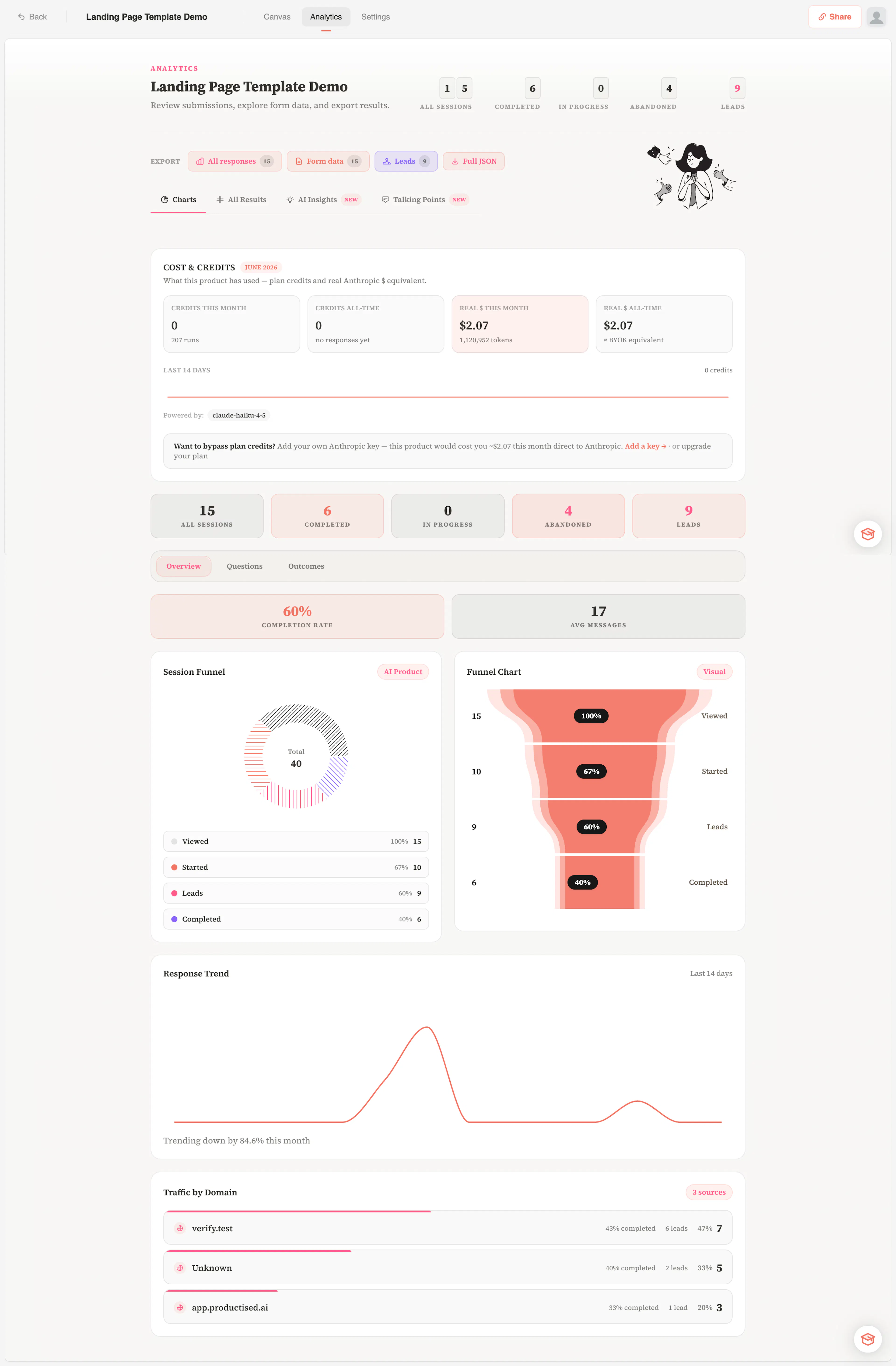
Every response is stored and accessible in your product's analytics view. From there you can:
- Browse individual responses with all collected inputs and AI-generated outputs
- View AI-generated insights that summarise trends across all responses
- Get talking points — ready-to-use conversation starters for sales follow-up
- Export response data to CSV
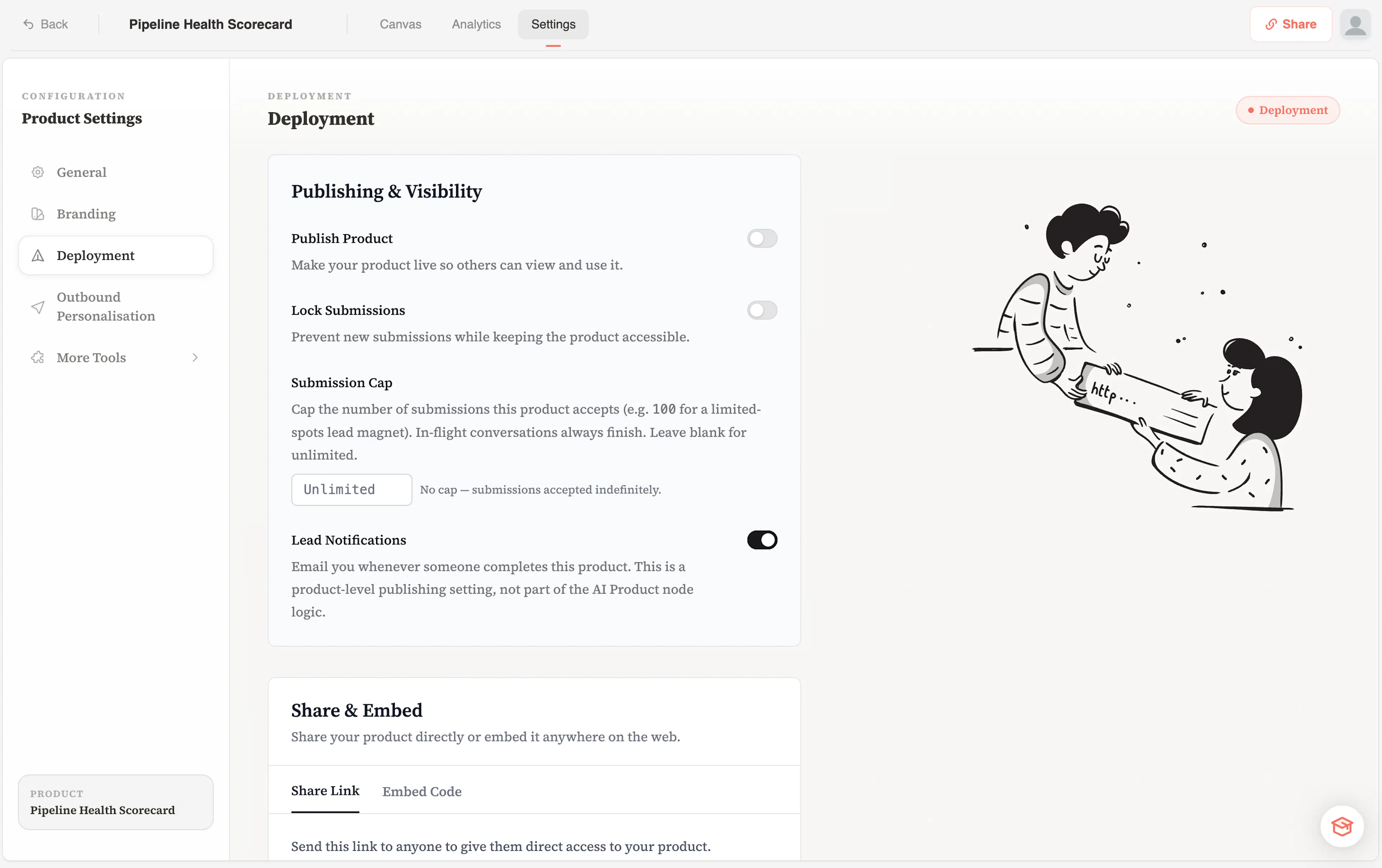
Deployment
When your product is ready, deploy it in seconds. Options include:
- Share link — a hosted URL you can send directly or embed in a button
- Website embed — drop a snippet into any website or landing page
- Custom domain — map your own domain to the product
- Product settings — control visibility, collect email, set redirect behaviour after completion