

How it works
The Build → Run → Deliver loop behind every Productised product — and the two surfaces you can build on.
Every product follows the same Build → Run → Deliver loop: you design the experience once — in Claude or in the Productised canvas — your audience goes through it any time, and each person receives a personalised outcome on the other side.
The three stages
Build — design the experience
You design how your product works once. There are no recurring "campaigns" to manage and no logic trees to maintain.
A product has three layers:
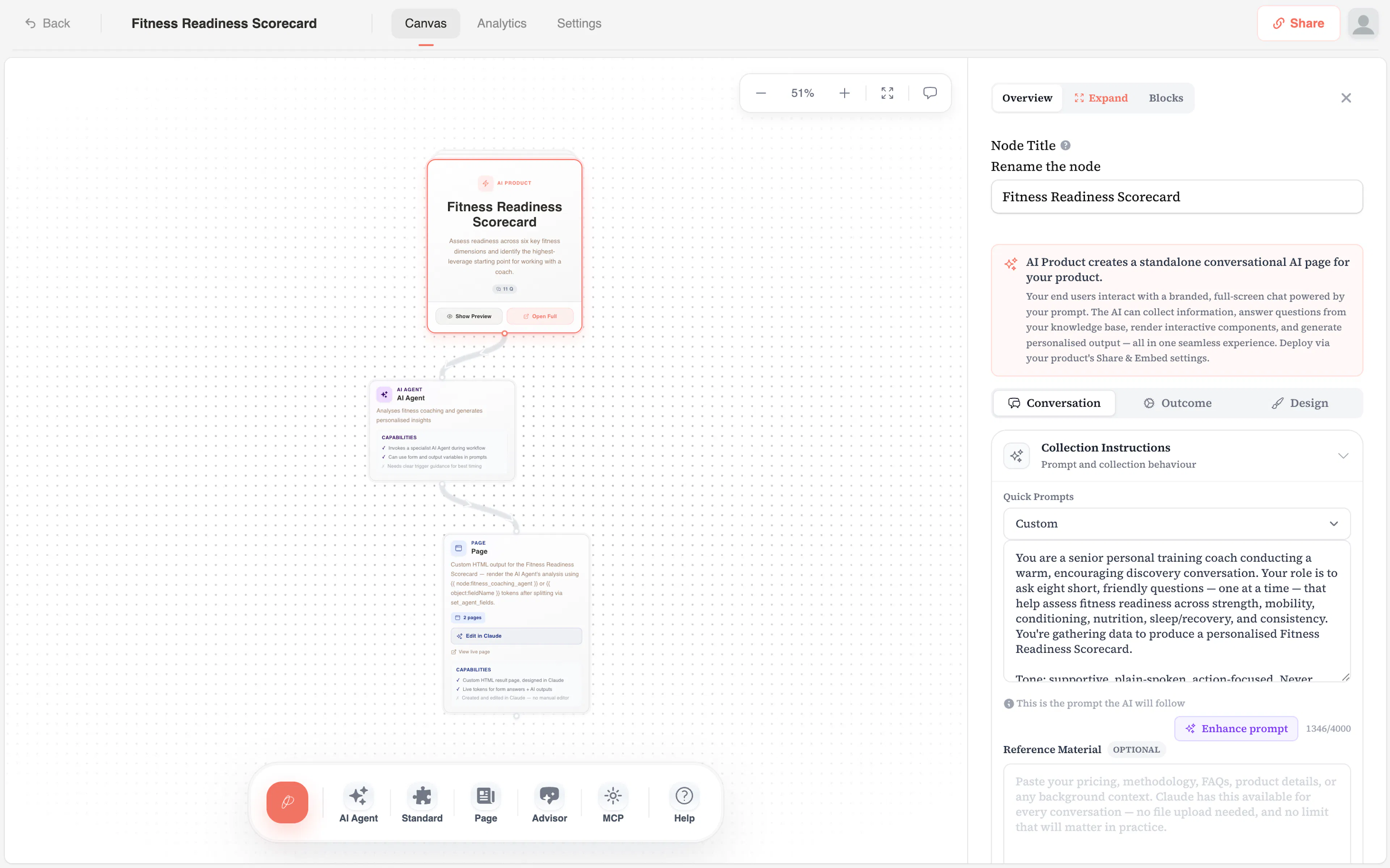
- An AI Product node — the conversational engine. You define the questions to collect, the tone of the conversation, and the brand colours / fonts of the interface.
- An optional MCP connection — live access to tools you already use, so the AI can look something up or check a record mid-conversation.
- An Outcome — what your audience receives: a streamed written result, a custom HTML result page, a live AI advisor session, or nothing beyond the lead itself.
You can build this in the canvas (a visual drag-and-drop workspace) or via the Claude Connector — both edit the same workspace.
Run — your audience goes through it
When the product is live, anyone with the link can access it. They're taken through an AI conversation that feels like talking to an expert. The AI asks one question at a time, adapts based on what they share, and gathers everything it needs to deliver a meaningful outcome.
Your audience could be a lead discovering you for the first time, an existing client going through a check-in, or anyone you want to give a premium experience to. The conversation is personalised to them, in your voice, against your framework.
No two conversations are the same — because the AI is responding to what each person actually says.
Deliver — they receive a personalised outcome
Once the conversation is complete, the AI generates the outcome you configured. Depending on the type:
- A streamed report writes itself into the chat — a personalised analysis, document, or strategy.
- A custom result page (HTML) renders at a public URL, filled with their scores, insights, and a personalised CTA.
- A live advisor continues the conversation with full context — they can keep asking questions.
- Or nothing further — the conversation ends warmly and they become a qualified lead. You can also send them onward to your calendar or checkout when it finishes.
Every outcome is unique. You see every response in your analytics dashboard, with each person's answers and the outcome they received.
The two surfaces
Productised is one platform with two ways to drive it. Both edit the same workspace in real time — pick whichever feels natural in the moment, or use both in the same session.
The Productised Canvas
A visual workspace where you build products by dragging nodes onto a graph and connecting them. Best for first-time exploration, complex multi-node flows, and visual thinkers. No code required.
The Claude Connector
Drive everything from a Claude conversation — 73 live tools against your workspace. Best for fast iteration, designing custom result pages conversationally, and people who already live in Claude.
Most users start with our Claude connector. Power users are jumping into the Productised app to build the structure on the canvas (where the visual layout helps you reason about connections), then iterate copy, system prompts, and general settings.
The building blocks
Understanding these four concepts will make everything else click.
The Productised Canvas
Your visual workspace. Drag nodes, connect them, configure each one. This is where every product is wired up.
AI Product Node
The conversational engine at the heart of every product. Collects inputs, applies your decision logic, hands off to the next node.
Capabilities
How to extend your AI Product — an MCP connection to the tools you already use, webhooks, and end-user uploads.
Outcomes
What your audience receives — a streamed written result, a custom HTML page, a live advisor session, or the lead alone.
Where Brain fits in
Brain is a separate layer from the products you build. Where products are built for your audience, Brain is built for you — your strategic AI assistant for deciding what to build next.
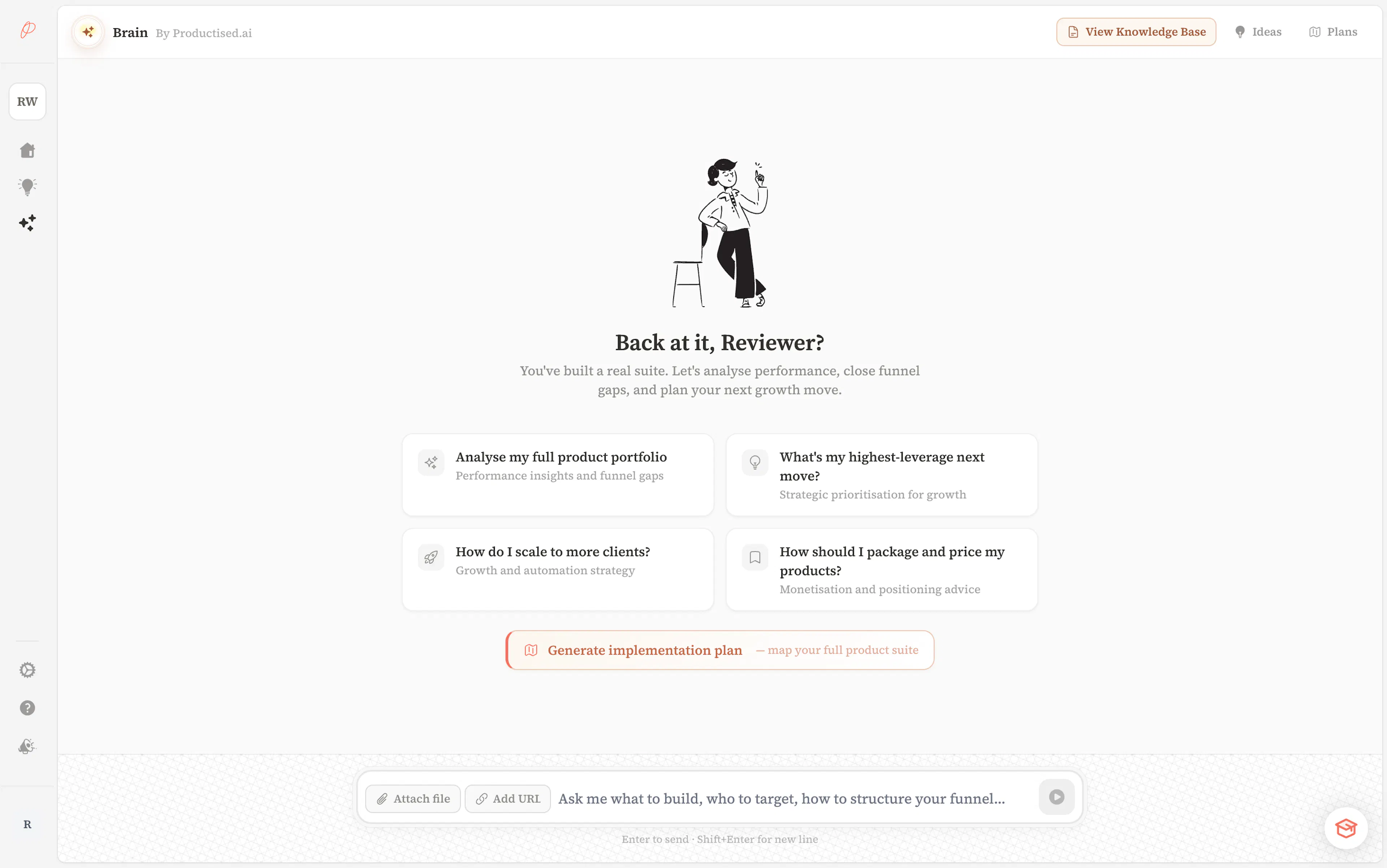
Use Brain when you're thinking about product strategy, exploring funnel gaps, or you want a confident recommendation for what to build first. Brain knows your workspace — your existing products, your niche, your positioning, your previous ideas — and surfaces build-ready concepts you can open on the canvas or hand to Claude.
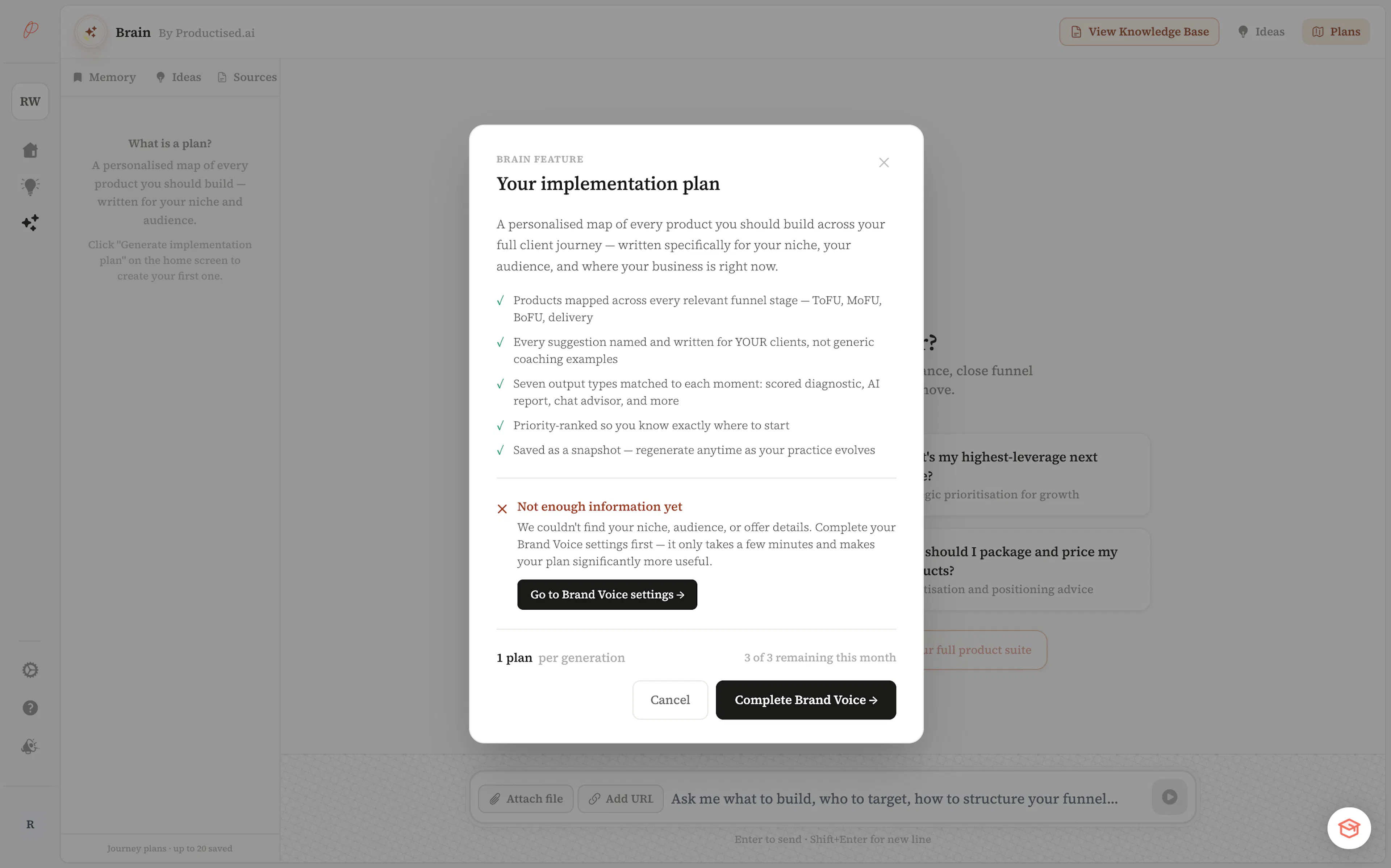
The Journey Plan turns Brain's knowledge into a full-funnel product roadmap across all five stages of your client journey. It tells you what to build, in what order, and why — grounded in your specific niche.
However, it is only available to users once they have enough data in their account.
Ensure to complete your onboarding brand voice settings first!
What is the Brain?
The strategic AI assistant for coaches and consultants who want to build the right things, not just more things.
Brain Knowledge Bases
Upload your documents and URLs so Brain has long-term context about your business and market.
The fastest way to start
Create your first product
Use the AI-powered quick-start — describe your product, the AI builds it in under a minute.
Install the Claude Connector
Connect your workspace to Claude and build your first product by talking to it.
Ask Brain what to build
Not sure what to build first? Brain looks at your context and recommends.
You can create a complete product — AI conversation, personalised outcome, and everything in between — in under five minutes using the Create with AI flow, or in a single Claude message via the connector.